Developer workflows
A screenshot tool
for developers.
Use Lumshot to show a UI problem, reuse an error message and move visual context into your coding conversation or Jira report. Capture, explain and act with one desktop screenshot app for Windows and macOS.
Free includes screenshots and annotations with a watermark. Pro adds OCR, AI Auto Paste, recording, scrolling capture, Smart Redaction and Jira issue creation.
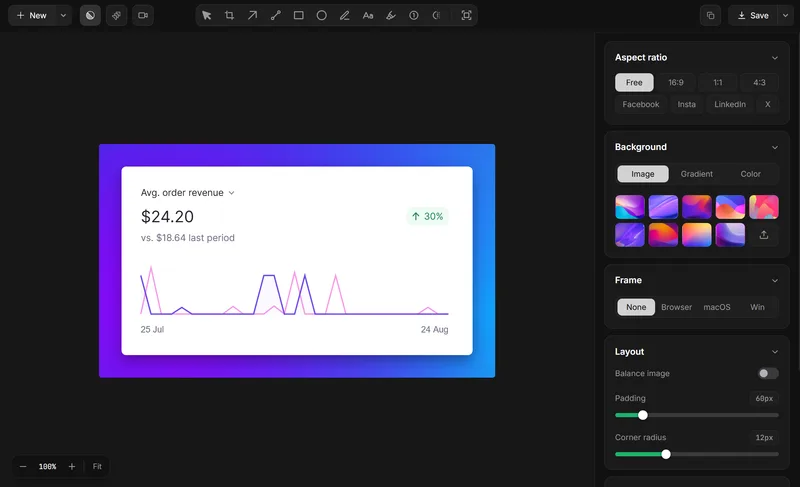
Explain the UI bug before changing code
Capture the region showing the unexpected layout. Add an arrow or short note to identify the affected control and state what should happen. Include the window size, app version and reproduction steps in your accompanying report; Lumshot does not automatically collect those diagnostics.
This makes screen capture for developers useful for code reviews, QA handoffs and design discussions without turning a screenshot into a substitute for the source code.
Copy an error message without retyping it
For unselectable text in a dialog or image, use screenshot OCR. Select the text area, recognize it locally and copy the result into your editor or report. Check punctuation, paths and identifiers against the original before searching or debugging.
Keep the screenshot as a visual reference when the layout or surrounding controls matter. Text extraction and an annotated capture serve different parts of the investigation.
Give your AI coding assistant visual context
Use screenshot to Cursor for a broken interface and add the relevant component or styles yourself. Ask a focused question about the observed behavior; Lumshot adds the image but does not generate or fix code.
For other conversations, explore screen capture for ChatGPT or visual review with Claude. The AI Auto Paste guide covers supported apps and sharing boundaries.
Give the team a reproducible report
Use Jira screenshot issue creation to capture, annotate, review and create an issue. If the problem involves a sequence or timing, record your screen and edit the clip, then share the exported recording through your team’s accepted process.
The screenshot bug reporting guide shows what context to add. Console logs, network requests and session replay are not confirmed Lumshot capabilities.
Keep credentials out of shared captures
Select only the necessary area and remove private details before sending a screenshot. Smart Redaction detects sensitive information locally; review the entire result, including notifications and background windows. AI and Jira sharing send the required content to those services.
Developer workflow questions
Can this replace runtime debugging or automated UI tests?
A screenshot records what you can see. It does not inspect runtime state, collect a stack trace or run visual regression tests. Use it alongside your existing development tools.
Can I use Lumshot on a mixed Windows and Mac team?
Both platforms have downloads. Your configured shortcuts and app permissions may differ; Linux is still in development.
Make the next handoff clearer.
Try free screenshot capture and annotation, then compare the advanced workflows.