Choose CleanShot X if…
Your work stays on Mac, and polished capture, video editing and CleanShot Cloud are central to how you share.
Lumshot vs CleanShot X
CleanShot X brings screenshots, recording and cloud collaboration to the Mac. Lumshot is a CleanShot alternative worth trying when you need Windows support, or want a capture to become an AI conversation or a Jira issue.
Information checked October 8, 2026
Choose CleanShot X if…
Your work stays on Mac, and polished capture, video editing and CleanShot Cloud are central to how you share.
Choose Lumshot if…
You work on Windows or Mac and frequently move screenshots into AI assistants or Jira bug reports.
At a glance
Capabilities overlap. The details and the next step make the difference.
Checked October 8, 2026. Numbers link to official sources. On smaller screens, scroll the table sideways.
| Capability | CleanShot X | Lumshot |
|---|---|---|
| Screenshot capture | Screenshot capture modes [1] | Region, window and full display |
| Scrolling capture | Scrolling capture [1] | Scrolling screenshots |
| Annotation | Markup, counters and highlights [1] | Arrows, shapes, text, highlights, blur and steps |
| Text recognition | On-device OCR and QR recognition [1] | On-device text extraction |
| Redaction | Blur, pixelate and solid redaction [1] | Local detection; review and apply protection |
| Screen recording | Screen, system audio, microphone and webcam [2] | Screen, system audio, microphone and camera bubble |
| Recording editing | Video editor with trim and smart zooms [2] | Cut, reorder, speed, voiceover and video annotations |
| Sharing | Copy, drag, export and CleanShot Cloud links [1] | Clipboard, drag to supported apps, PNG/JPG exports |
| Platforms | macOS 13+ for the current release; no Windows version [3] | Windows 10 (64-bit)+ and macOS 12+; Linux in development |
| License model | Basic: one-time, one year of updates. Pro: subscription with Cloud/team features [3] | Free with watermark; Pro $29 USD early bird, one-time with lifetime updates |
Lumshot’s advanced workflows require Pro. Free capture and annotation include a watermark. This table describes published capabilities, rather than feature parity or a hands-on performance benchmark.
Where CleanShot X stands out
CleanShot combines scrolling screenshots, markup, on-device OCR and reusable visual styling in a native Mac app. [1]
Its recorder includes camera and audio, with a video editor and smart zooms. Recording alone is not a reason to switch. [2]
CleanShot Cloud adds hosted links; its Pro plan includes team and branding features. Compare those services separately from local capture. [3]
Where Lumshot differs
Platform is the clearest dividing line. CleanShot’s current app is for macOS; Lumshot is available for Windows and macOS. On Windows, Lumshot combines capture and annotation with Pro tools for scrolling, OCR and recording. That is a practical route to a similar category of work, without promising identical controls or feature parity.
The next question is where the capture goes. If your next step is discussing a UI error with Cursor or reporting it in Jira, evaluate Lumshot’s handoff as carefully as its editor. If your team depends on hosted CleanShot links and comments, keep that requirement on your shortlist.
Explore screenshot annotation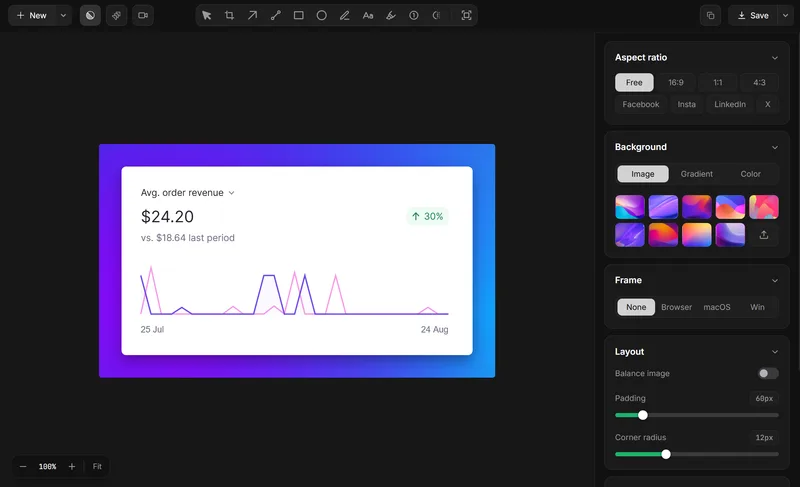
Compare the handoff
Use the same bug or product walkthrough to compare both tools. Judge the finished handoff, not just how fast the first screenshot appears.
Platforms
A Windows user cannot install the current CleanShot Mac app. Lumshot offers Windows 10 (64-bit) or later and macOS 12 or later. CleanShot’s current release requires macOS 13 or later. Lumshot’s Linux version is in development; there is no Linux installer to recommend today.
Capture → Explain → Act
This is a comparison of specific handoffs, not a claim that CleanShot captures cannot be used with AI or Jira. Copying, dragging and cloud sharing remain useful ways to deliver a capture. Lumshot documents automatic insertion into supported AI conversations and a reviewed Jira issue-creation flow.
Open a supported conversation, capture the relevant screen, and let AI Auto Paste add the image. You add the prompt. Supported apps include ChatGPT, Claude, Cursor, Gemini and GitHub Copilot.
Explore AI Auto PasteSee the screenshot to Cursor workflow or the supported AI setup guide.
Capture, annotate and review the problem, then create the Jira issue with the screenshot included and assign it to your team. Project-specific fields and permissions should be checked in your own Jira setup.
Explore Jira integrationRead how to create a Jira issue from a screenshot and prepare a visual bug report.
OCR and Smart Redaction process locally. Sending content to an AI app, Jira or another destination shares it with that service. Read the privacy policy
Choose by the work you do
Lumshot Free includes unlimited screenshots, annotation, clipboard, drag and PNG/JPG export with a watermark. Pro adds recording and editing, OCR, scrolling, Smart Redaction, AI Auto Paste and Jira, for $29 USD at the current early bird lifetime price. Both plans include lifetime updates.
Compare Lumshot plansTry a real task first
You can try Lumshot alongside your current app. There is no need to uninstall it or move an archive just to compare a new capture.
Start with the installation guide and shortcut guide. Lumshot’s published documentation does not describe a competitor-account or project-import system; these steps do not promise one.
Common questions
Yes. Lumshot has a Windows app for capture and annotation, with Pro adding scrolling, OCR, recording, AI Auto Paste and Jira. CleanShot’s current product is Mac-only. Choose based on the workflow you need, rather than assuming complete feature parity.
Yes, on macOS 12 or later. Windows 10 (64-bit) or later is also supported. Linux is in development and is not available to download yet.
Yes. Both document screen recording with audio and camera support, plus video editing. Lumshot’s recording and editing tools are part of Pro.
AI Auto Paste adds a capture to a supported active conversation. ChatGPT, Claude, Cursor, Gemini and GitHub Copilot are documented supported applications. You add the prompt and continue there.
Do not assume it does. Lumshot’s verified sharing workflow is clipboard, drag to supported apps and local exports, with AI and Jira destinations. Hosted galleries, team comments and Cloud storage should be evaluated as separate requirements.
Keep comparing
Need Windows capture or a direct path into AI and Jira? Try Lumshot alongside your current setup and compare a real task.
Free capture and annotation. Advanced workflows require Pro.