Capture modes
Choose a region, an application window, or a full display. Use scrolling capture when you need content beyond the visible screen.
See the guideFeatures
Capture screenshots, record your screen, annotate what matters, extract text with OCR, and move your captures directly into the tools you already use. Lumshot brings capture, editing, sharing, AI Auto Paste, and Jira workflows together in one desktop app.
Screenshot Annotation
Annotate screenshots with arrows, text, highlights, numbered steps, shapes, blur, and other screenshot markup tools. Make feedback, tutorials, and walkthroughs easy to follow.
Mark a design change and explain the intended result.
Screen Recording
Record your screen, a window, or a selected region with system audio, microphone, and a camera bubble. Use this screen recorder for demos, walkthroughs, and bug reports.
Record the clicks that trigger a bug.
Screenshot OCR
Copy text from screenshots, images, error messages, interfaces, or other content you can't normally select. Review the OCR result instead of retyping it.
Copy an error into a bug report and check its accuracy.
Scrolling Screenshot
Capture long webpages, documents, conversations, or other supported scrolling content in one continuous screenshot without stitching separate images by hand.
Share a long review thread in order.
Screenshot Redaction
Smart Redaction detects supported sensitive details locally. Review every finding, apply protection, and inspect the screenshot before sharing.
Hide credentials before sharing an error with your team.
AI Auto Paste
Take a screenshot with Lumshot and Auto Paste it into your active supported desktop AI app. Add your prompt without manually copying and pasting the image. Browser-based versions are not supported.
Show Cursor a broken interface or ask Claude about a document.
Jira Integration
Capture a bug, annotate the important details, and create a Jira issue directly from Lumshot with the visual context attached.
Give a developer the context behind a QA report.
More built-in tools
Lumshot is designed to launch quickly and stay responsive through everyday capture and editing.
Choose a region, an application window, or a full display. Use scrolling capture when you need content beyond the visible screen.
See the guideCustomize capture and editing shortcuts so the tools are close at hand. The guide lists capture, annotation, and editor commands.
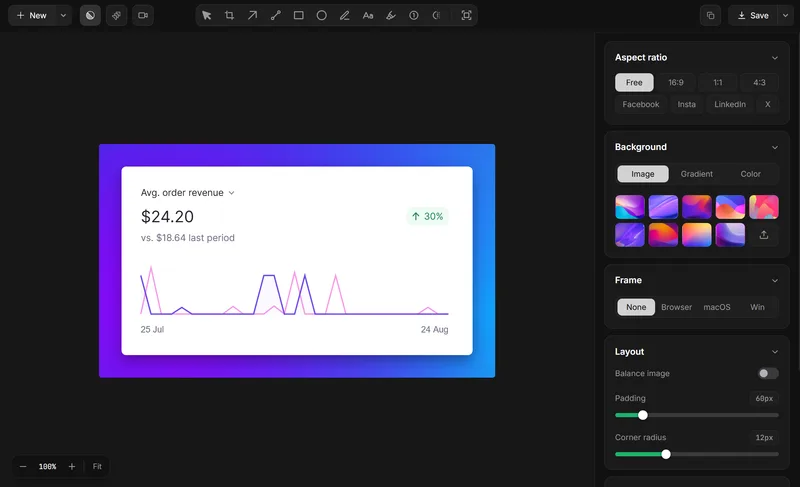
See the guideGive a screenshot a finished presentation with the editor’s backgrounds and layout controls.
See the guideCopy a finished capture, drag it into a supported app, or save a PNG or JPG locally.
See the guideBuilt around real work
Capture errors, extract text with OCR, annotate bugs, Auto Paste screenshots into supported coding and AI desktop apps, or create Jira issues.
Capture interfaces, point out changes, redact sensitive details, and give teammates visual feedback they can act on.
Record workflows and create clear visual walkthroughs when written instructions are not enough.
Capture a selected region, application window, full display, or supported scrolling content. You can also record a region, window, or full display with Lumshot Pro.
Yes. Lumshot captures and annotates screenshots, while Pro adds screen recording with audio and camera inputs, editing, and post-recording annotations.
Yes. Screenshot OCR lets you select and copy text from screenshots, error messages, documents, and interfaces, then review the result before using it.
Keep a supported native desktop AI app active, then take a screenshot. Lumshot pastes the image into that app so you can add your prompt; Lumshot does not analyze it. Browser versions are not supported. See the AI Auto Paste guide.
Yes. Capture and annotate a screenshot, review the issue details, and create the Jira issue with the visual context attached. See the Jira Integration guide.
Windows & macOS · Linux coming soon